Umbraco Skills for AI Agents - A Game Changer for Backoffice Development

Umbraco has released a repository called Umbraco-CMS-Backoffice-Skills that you can install in any AI agent. It essentially teaches your AI assistant everything about Umbraco backoffice development.
Getting Started
Installation is straightforward:
npx skills add umbraco/Umbraco-CMS-Backoffice-SkillsThis will prompt you to select which AI agents you want to install the skills for (like Windsurf, Cursor, or others) and whether the skills should be installed globally or just for your current project.
Once installed, your AI agent gains deep knowledge of the new Umbraco backoffice architecture, including:
- Property editor development
- Context APIs
- Extension registration
- UUI component library
- And much more
A Real-World Test
I recently needed to migrate a custom property editor to the new backoffice. The editor reads blocks from a Block List elsewhere on the page and presents them as checkboxes for selecting “related blocks” - useful for things like feature comparison matrices.
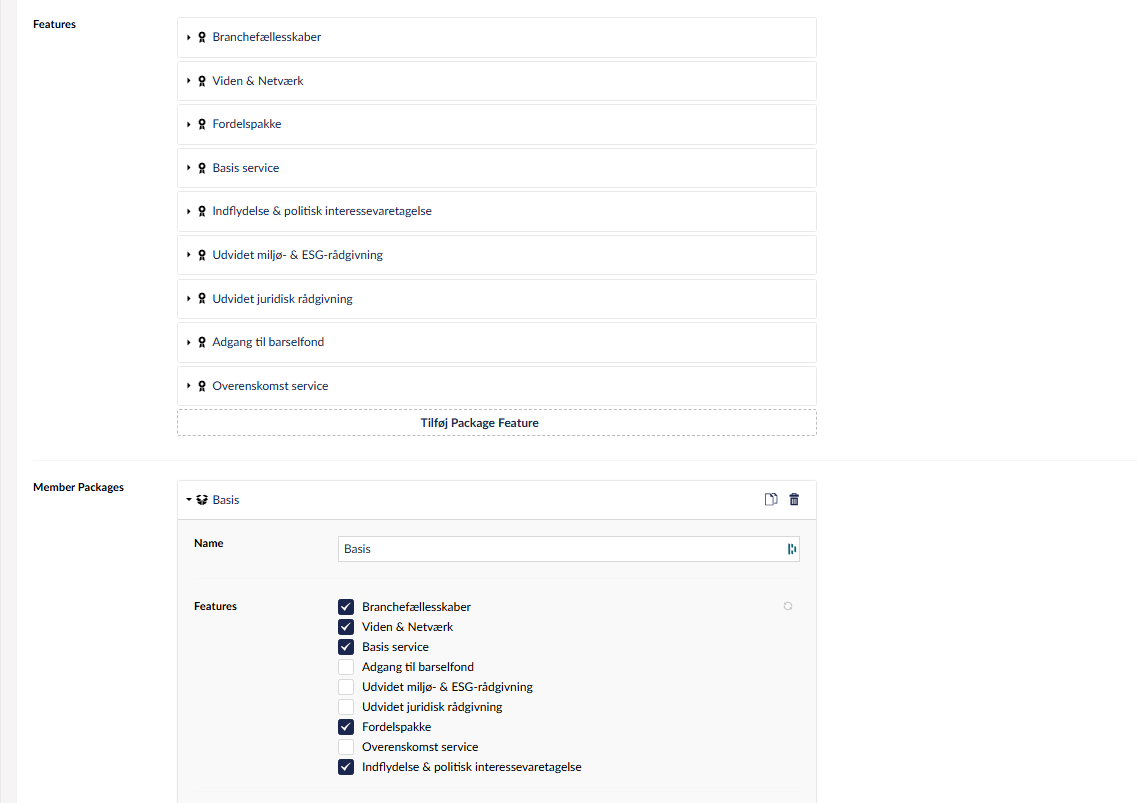
The challenge? In the new backoffice, the checkbox list needs to automatically update when the source Block List changes. That’s not trivial - you need to observe the right contexts and react to changes. With the skills installed in Windsurf, I created a plan first, reviewed it, then had Windsurf implement the entire property editor in one go:
I need to create a new property editor for Umbraco. It should be used to select references to blocks from another block list on the current page. For data type configuration, the user needs to input the alias of the block list, from where references are picked. And there should be an input where the user can specify the alias of the field containing the referenced blocks name. When showing the property editor, it should find the block list from the current page, and list the blocks available for picking as a check box list. It should observe the block list, so when new blocks are added, the checkbox list gets updated automatically.
The AI generated a working solution on the first try. It only needed one additional iteration to handle the edge case of being used inside nested blocks.
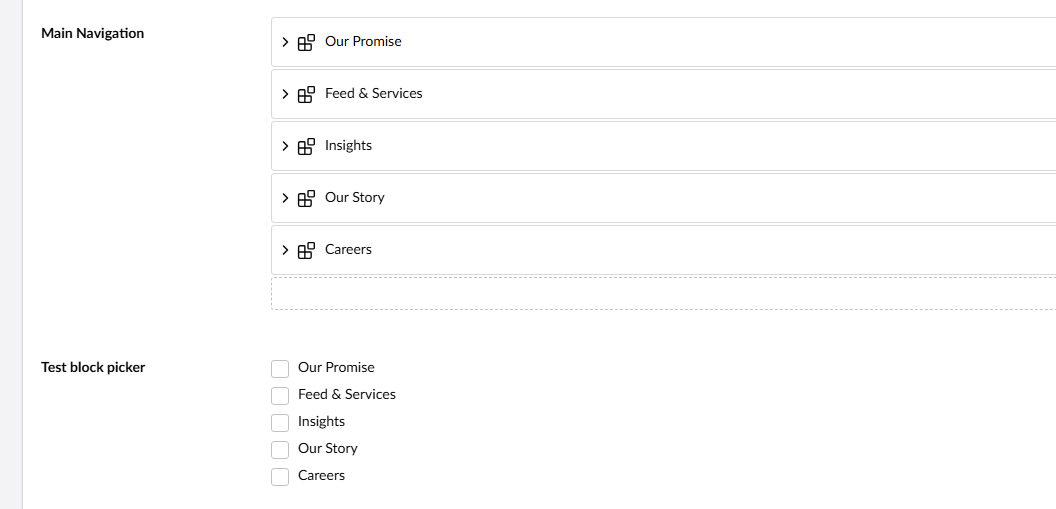
What’s even better? The new editor is actually an improvement over the original. In the old backoffice, users had to click a somewhat hidden refresh button when blocks were added or removed from the source Block List. The new implementation observes the block list value directly and updates the checkbox list automatically - a better user experience that came “for free” because the AI understood the reactive patterns in the new backoffice architecture.
What Impressed Me
The resulting code is clean - about 176 lines for the main BlockReferencePickerElement. But what’s remarkable is how the AI figured out which contexts to use.
Finding the right context APIs in the new backoffice can be tricky. There’s UmbDocumentWorkspaceContext, block contexts, property contexts - it’s easy to get lost. The AI, armed with the Umbraco skills, navigated this complexity without any hand-holding.
It also correctly used UUI (Umbraco’s UI library) for the checkboxes. This is something I’ve struggled with before when asking AI to generate Umbraco backoffice code - it would often fall back to generic HTML or other component libraries.
Final Thoughts
If you’re doing any Umbraco backoffice development with AI assistance, install these skills. The difference is night and day compared to generic AI assistance.
The skills bridge the knowledge gap between what AI models learned during training and the relatively new Umbraco backoffice architecture. Instead of generating outdated AngularJS code or making up APIs that don’t exist, your AI actually understands the current patterns and can generate working code.
This is exactly the kind of tooling that makes AI-assisted development practical for specialized domains like Umbraco.