Bringing Excel export back to Umbraco Forms
After an upgrade from Umbraco 13 to 17, a client wondered where the Excel export in Umbraco Forms had gone. The built-in export now produced CSV files, but they were more comfortable working with Excel files.
That was enough reason to build Umbraco Forms Excel Export. It adds .xlsx exports to the existing Forms export menu, so editors can download their submissions in the format they prefer.
Where did Excel export go?
Umbraco Forms used to include Excel export. In Forms 16, Umbraco replaced it with CSV export using CsvHelper.
The reason was the library behind it. Forms depended on EPPlus 4, the last LGPL-licensed version, which was no longer supported. Newer versions had different licensing requirements that Umbraco did not want for a built-in feature. The Forms 16 upgrade notes explain the change.
I wanted to bring Excel export back with a dependency that could work well in a free, open source package.
Choosing a spreadsheet library
Some Googling and AI-assisted research gave me a shortlist of ClosedXML, MiniExcel, the old EPPlus version, and SpreadCheetah.
I ended up choosing SpreadCheetah. It has an MIT license and could do what I needed: write form submissions into a new Excel file.
One limitation I came across was that it cannot read or modify existing spreadsheets. That would matter for other projects, but this export only needs to create a new file. It writes the workbook row by row, which fits the job quite well.
The published benchmarks looked promising too, with lower execution times and memory allocations than ClosedXML and EPPlusFree in the project’s test. I didn’t run my own benchmarks, so there is a bit of “trust me bro” involved in that part of the decision. It did what I needed, and that was the main thing.
About 30 questions and a plan
The implementation was fairly uneventful. I started with a grilling session using Matt Pocock’s grilling skill. About 30 questions later, I had a detailed plan that Luna could implement on its own.
That included setting up automatic releases through GitHub Actions. Pushing a version tag triggers the workflow to build, test, publish the package to NuGet, and create a GitHub release.
In my experience, Umbraco Forms is relatively straightforward to extend, and its documentation for adding export types gives you a useful starting point. There weren’t many moving parts to keep track of here. The package plugs into the existing export system and uses its filters for the columns and submissions to include.
I also spent a little time finding a logo on Noun Project. That was more or less it.
How to use it
Install the package version that matches your Umbraco Forms major version. For Forms 17:
dotnet add package Umbraco.Community.Forms.ExcelExport --version 17.0.3For Forms 18:
dotnet add package Umbraco.Community.Forms.ExcelExport --version 18.0.3These are the current releases at the time of writing. You can find newer releases on NuGet.
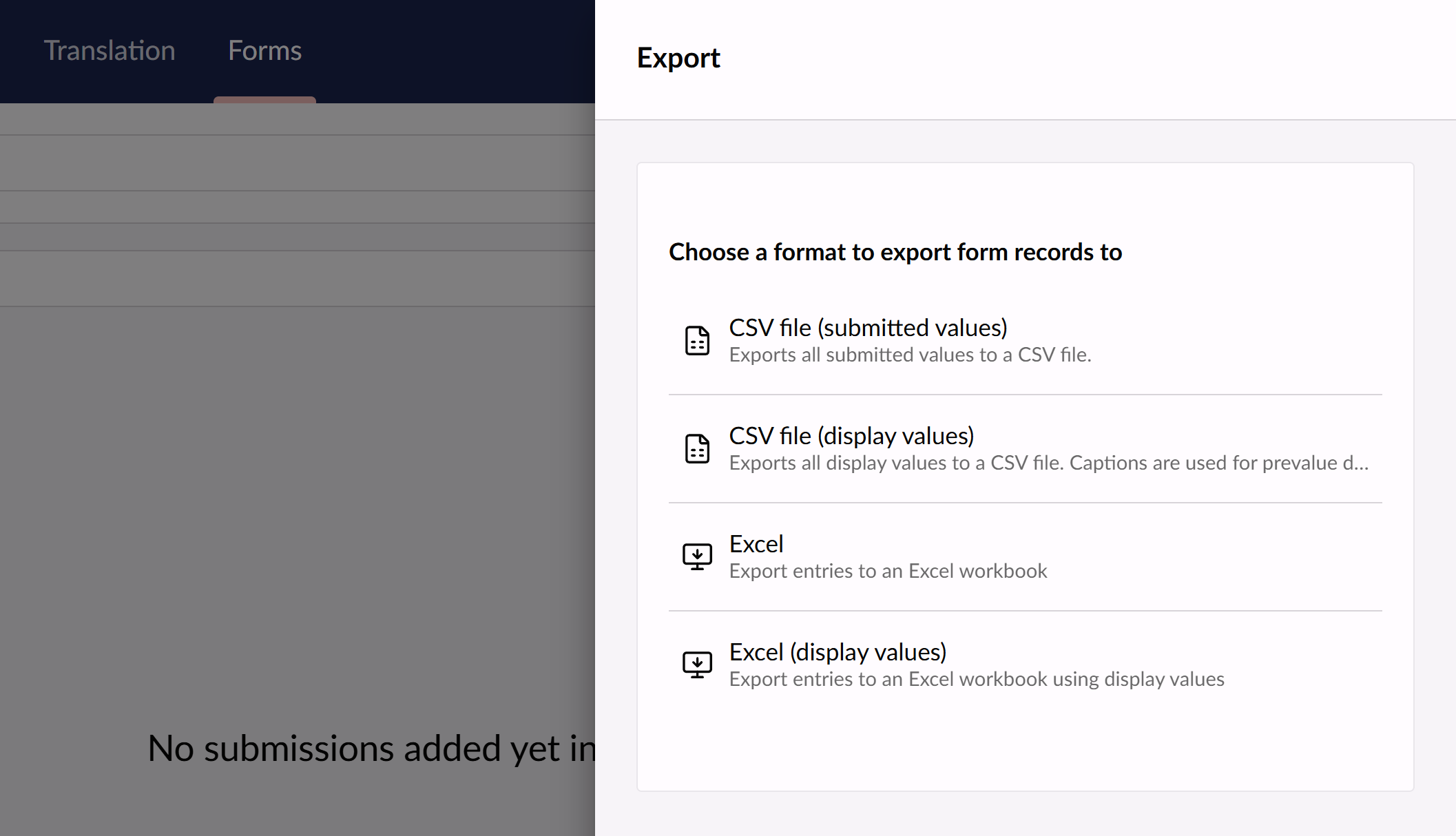
After installation, open the export menu for your form’s entries. Two additional options appear alongside the built-in export types:
- Excel exports the stored values, preserving supported dates, booleans, and integers as native Excel cells. Other values are written as text, and multiple values are joined with commas.
- Excel (display values) writes values as text and replaces stored prevalue keys with their captions. This is useful for dropdowns, checkboxes, and radio buttons where the stored value differs from the label people recognise.
Both produce an .xlsx file containing an Entries worksheet. No configuration is required.
The package is free and MIT-licensed. You can find it on the Umbraco Marketplace, with the source code and issue tracker on GitHub.