AI is changing how I approach Umbraco development
A customer needed to fill in missing title metadata in PDFs uploaded to Umbraco’s media archive. I built a health check to find the files and offer actions to fix them. It worked.
Then I replaced it with a dashboard in the Media section and added a box showing PDF metadata on the media item’s Info tab. Building those additions with AI assistance took at most a couple of hours, including directing the agent, reviewing its work, and trying it out.
That changed which approach made sense for this task. A custom interface had previously felt like something I would have to justify spending several hours on. This time, it was practical to build the interface around the editor’s job.
A PDF cleanup job
The ongoing part of the problem was straightforward. I used saved notification handlers to keep the PDF’s title metadata in sync with the media item’s name. When an editor saves a media item, the handler checks whether the titles match and updates the PDF if necessary. For new uploads, it takes the PDF’s existing title and uses it as the media name.
Umbraco’s MediaService notifications provide the hook for that work. The PDF handling is custom code in the customer’s project.
But this was an existing site with plenty of PDFs already missing titles. Keeping future changes in sync did not clear that backlog. The editors needed a way to find the problematic files and decide what their titles should be.
That is where I reached for a health check.
The health check worked
I have used this approach before. Umbraco’s health check framework lets me implement a class that returns results and provides actions to resolve them. Umbraco supplies the interface and the flow around it.
From a developer’s perspective, that is a useful shortcut. I can focus on detecting and correcting the problem instead of building the UI and figuring out where and how to integrate it into the backoffice.
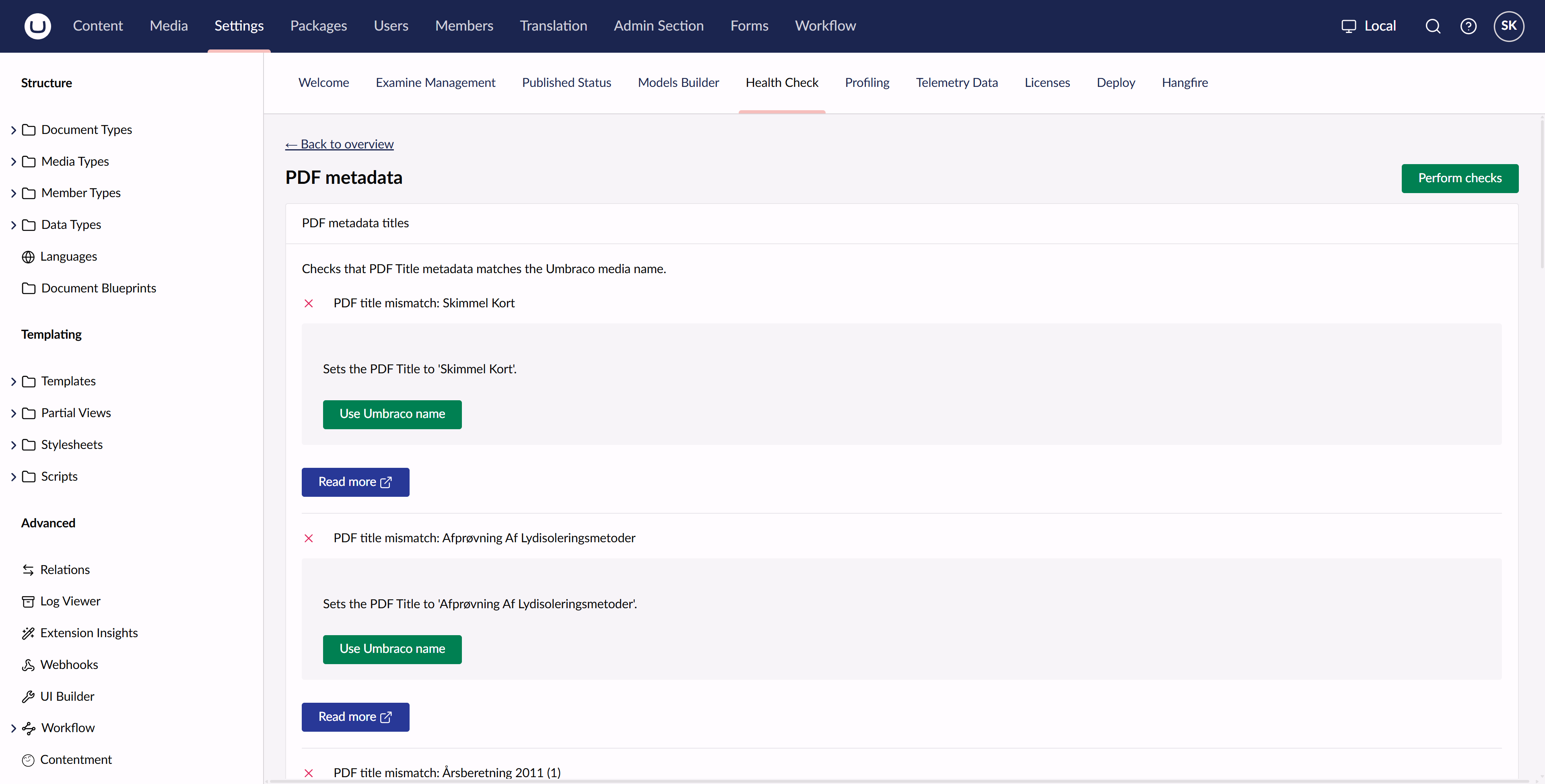
The problem was the editing experience. The check lived in Settings, somewhere an editor might not think to look, or might not have access to. Even with access, getting to the check took several clicks. Each result took up a fair amount of space, and I had put the link to the individual media item behind a button labelled “Read more”.
It could find and fix the PDFs. It was less suitable as the place where an editor would work through an archive of them.
I had picked an interface because it was convenient to implement. Looking at it again, a dashboard in Media was a better fit for the actual task.
A better place to do the work
The dashboard finds PDFs with missing or mismatched titles and presents the media name and PDF title side by side. The media name is a direct link to the item.
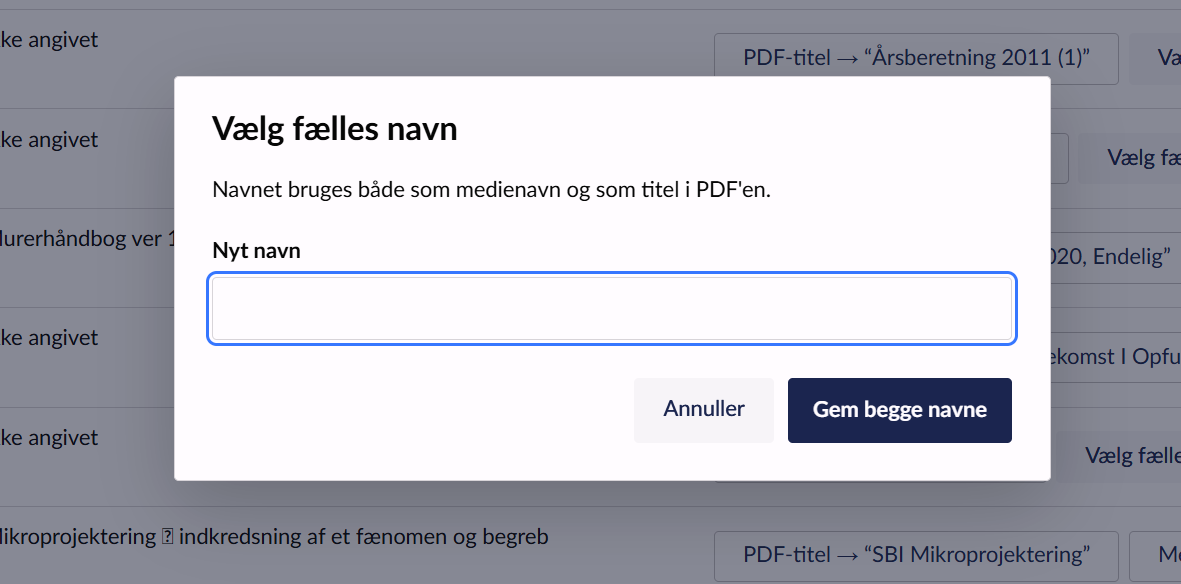
For each PDF, the editor can use the media name as the PDF title, use the existing PDF title as the media name, or enter a new name for both.
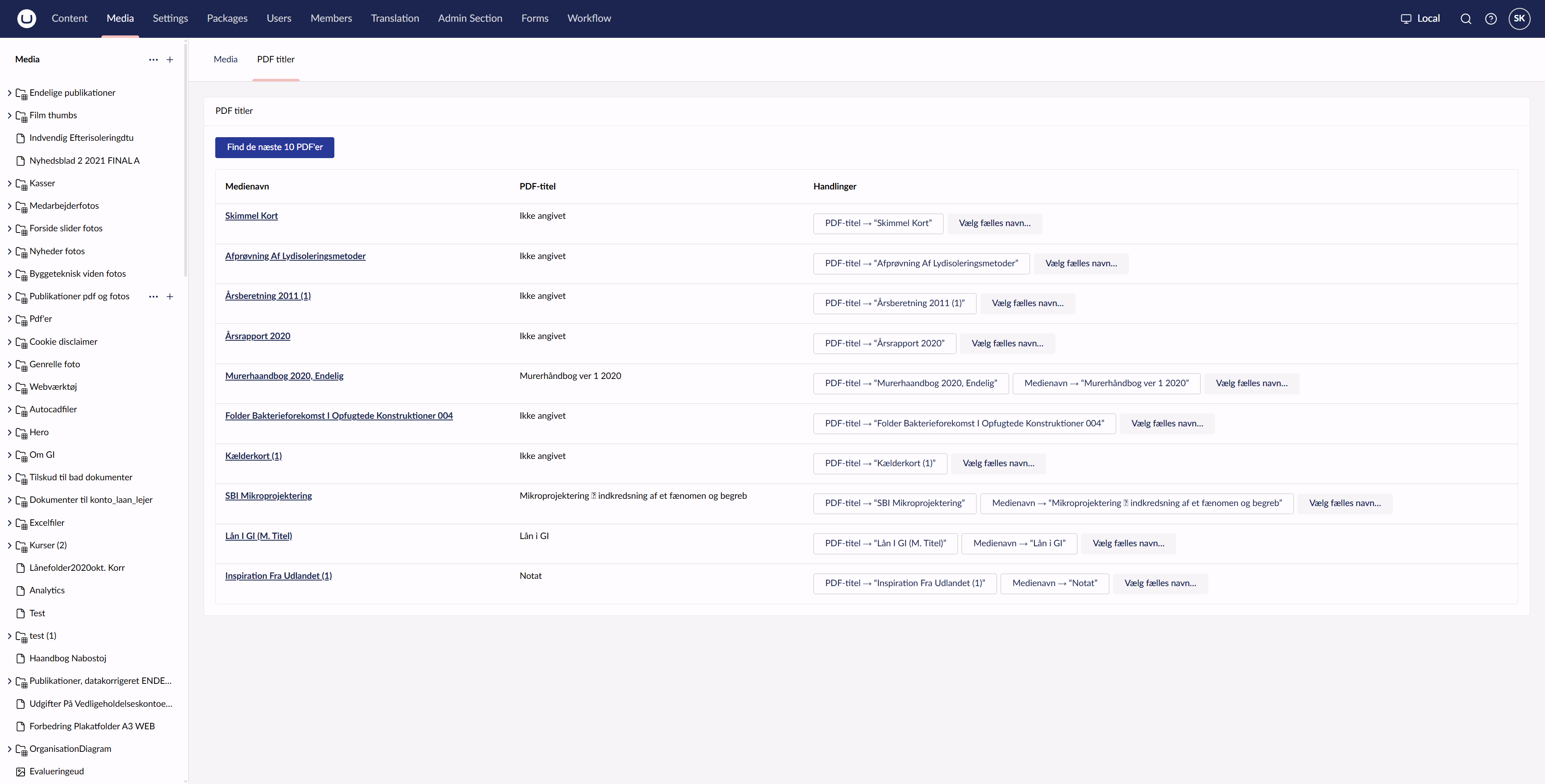
Those choices matter because a mismatch does not tell me which title is right. Sometimes the media name is useful and the PDF title is empty. Sometimes the PDF already has a better title. Sometimes neither is what the editor wants.
I also added a PDF metadata box to the media item’s Info tab. A custom condition makes it appear only for PDF files. It shows the current metadata so an editor can see what is in the file before changing its name.
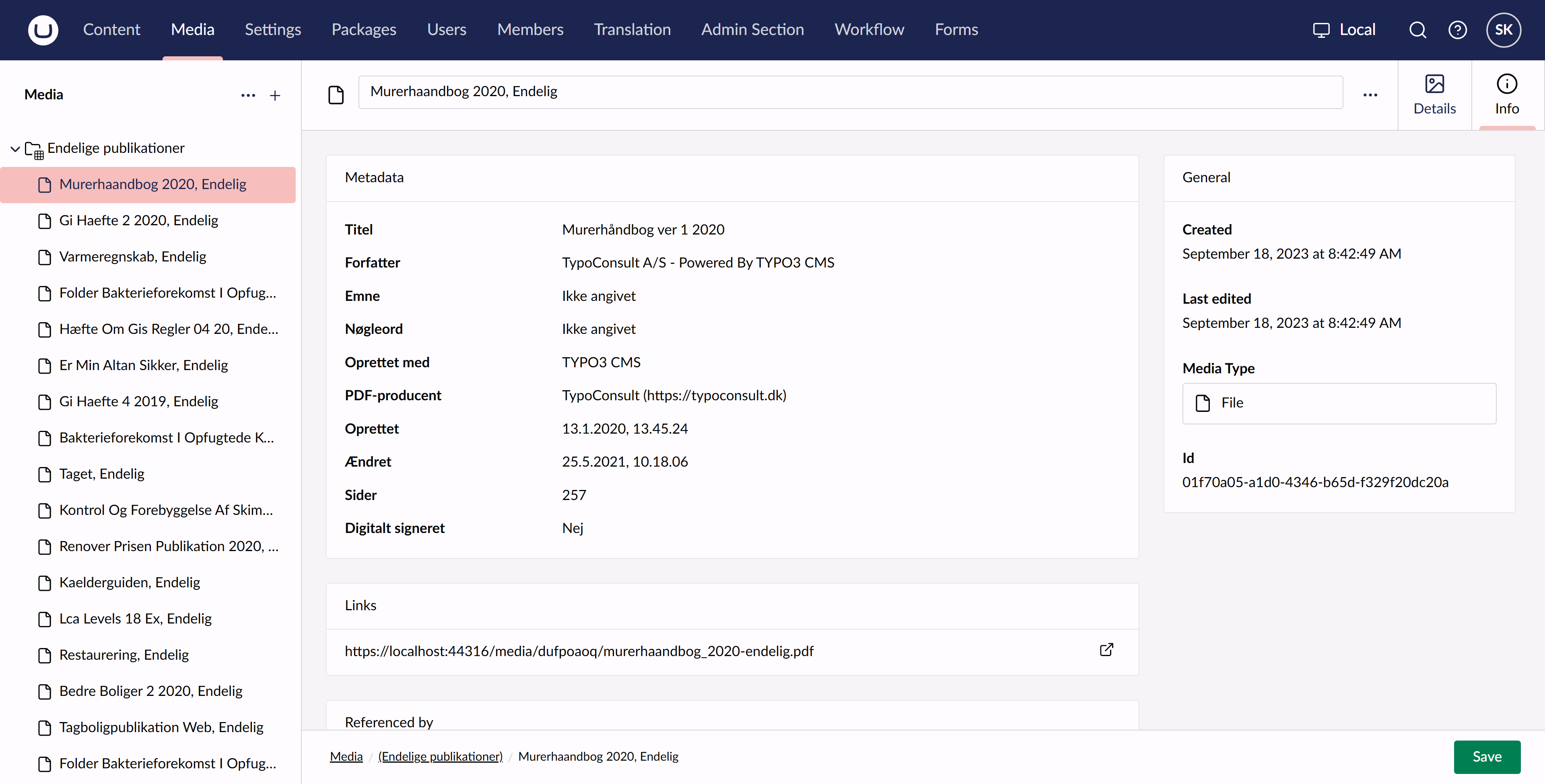
I did not actually know that the Info tab’s boxes could be extended like this. The extension type is called workspaceInfoApp, and it was a useful discovery for this job. Otherwise, I would probably have built a separate workspace view. Or, slightly embarrassingly, a property editor whose only job was to display data. Extending the existing Info tab was a better fit.
The customer is now working through the PDFs. The dashboard is easy for them to find in Media, and correcting the titles is straightforward.
A couple of hours changed the decision
The new backoffice has plenty of extension points for building this kind of editing experience. Yes, I still call it new. I have been doing Umbraco long enough that this may take a while to wear off.
The possibilities were already there. Writing the code to use them was the part that made me hesitate.
At Codegarden 2025, I watched Niels Lyngsø’s Next-Level Backoffice talk. He demonstrated a whole collection of extensions that improved the editor experience. I remember sitting in the audience thinking that it looked lovely, but I would never get the budget from my customers to do that sort of work.
This PDF task made me reconsider that assumption. With an AI agent doing much of the implementation, the extra work became small enough that I chose a different approach.
I still had to direct it. I had not installed Umbraco’s backoffice skills for this project, so I had to tell the agent to use uui-table for the table, for example. I have written about those skills before. In this case, I managed to give myself a practical reminder of why they are useful.
The agent can produce the code, but I still need to check whether it uses the right components and whether the resulting interface makes sense. A table that displays the data is only part of the job. The choices and their wording need to make sense to the person correcting the PDFs.
Previously, the development time for these additions would have been difficult to sell. The health check already worked, so I would have had to justify several more hours to make the same task easier for the editor. At most a couple of hours is a much easier case to make.
In our customer work, I am also seeing more arrangements closer to fixed pricing, where the conversation focuses less on individual hours and more on value. Spending less time on implementation makes it more practical to include improvements like this, rather than stopping at the first interface that gets the job done.
Custom still has to earn its place
There is a limit to this. If I build every custom extension an agent can produce, I can still end up with a Frankenstein’s monster of a backoffice. Each little addition might make sense on its own, while the whole thing becomes harder to understand and maintain.
Standard components still have a lot of value. I prefer them where they fit because they leave less custom behaviour for me to maintain. Using Umbraco’s components and extension points also helps a necessary addition fit into the existing interface.
My test is whether the extension makes a concrete task noticeably easier or more editor-friendly. Being quick to build is not enough reason to add it.
For this customer, the dashboard passes that test. The editors have the overview and choices they need, in the section where they already manage their files. AI assistance made that approach affordable enough for me to choose it.
The next time I reach for a health check or another convenient shortcut, I will spend a moment checking whether it is also a good place for the editor to do the work.