Automatic log cleanup for Umbraco
Remember UnVersion for Umbraco? I ‘member.
Matt Brailsford originally built it to clean up old content versions. I took over maintenance when he no longer had time for it. Then Umbraco added history cleanup to core, and UnVersion retired. Apparently, I still have a thing for packages that remove old stuff.
This time it started with a failed deployment. An Umbraco 17.7.0 site on Cloud had run out of space, and the site did not work after the deployment failed. Support suggested deleting old log files and clearing the NuGet cache. I cleared the whole cache, deployed again, and got the site running.
Cloud has since added automatic NuGet cache cleanup. It runs 15 minutes after each completed deployment, keeping the package versions the deployed site uses and the newest versions of packages used only during the build. The rest go.
That takes care of old packages. I wanted the same sort of housekeeping for log files, while keeping recent messages and preserving errors for longer. That’s what Unlog does. I built it after the Cloud incident, but it also works on Umbraco sites hosted elsewhere.
The logs Umbraco left behind
On the affected Cloud environment, I found almost 500 log files taking up roughly 3 GB. Some were more than a year old. The site had been misconfigured for a long time, logging far too many Information messages and, in some cases, Debug messages too. That helped explain the volume.
I expected Umbraco’s Serilog file limit to keep the count below 90, but the file names include the machine name. When Azure moves the app to another worker, Serilog starts a new file series. Files from previous workers can remain in the directory.
I still want the recent logs, especially when a site won’t start and I need to read them in Kudu. Deleting everything would free space, but it would also remove the messages I might need to work out what went wrong.
Unlog scans Umbraco’s file logs across those machine names. It reads each log entry’s timestamp and level, so I can keep routine messages for a couple of weeks and errors for longer.
Keeping the useful log entries
These rules in appsettings.json give me 14 days of routine messages, 30 days of warnings, and 90 days of errors:
{
  "Umbraco": {
    "Community": {
      "Unlog": {
        "Rules": [
          { "Level": "Information", "Days": 14 },
          { "Level": "Warning", "Days": 30 },
          { "Level": "All", "Days": 90 }
        ]
      }
    }
  }
}
Each rule covers its level and lower levels. Where rules overlap, the shortest retention wins. With these rules, Information, Debug, and Verbose entries stay for 14 days; Warning entries stay for 30; Error and Fatal entries stay for 90. All covers every level. If I configure no rules, Unlog deletes nothing.
Unlog removes expired entries and deletes files that become empty. It skips today’s files and files in use. If it cannot parse an entry, it leaves that entire file alone and logs an error.
Serilog’s own file retention still applies. If Serilog deletes a file sooner, a longer Unlog rule cannot bring it back.
What it removed on another project
I tried Unlog on a second Cloud project. Its oldest log file dated back to February 2024. After cleanup, the log directory went from just over 1,000 files and about 60 MB to about 60 files and 10 MB. That removed about 85% of the log data while keeping entries covered by the retention rules.
How to use Unlog
Install the package version matching your Umbraco major. For an Umbraco 17 project:
dotnet add package Umbraco.Community.Unlog --version 17.0.1The 18.x releases target Umbraco 18. Add your retention rules to appsettings.json and deploy. The first cleanup attempt is 15 minutes after startup, followed by a daily run. The Unlog Health Check shows the active rules and offers a Run now action for immediate cleanup.
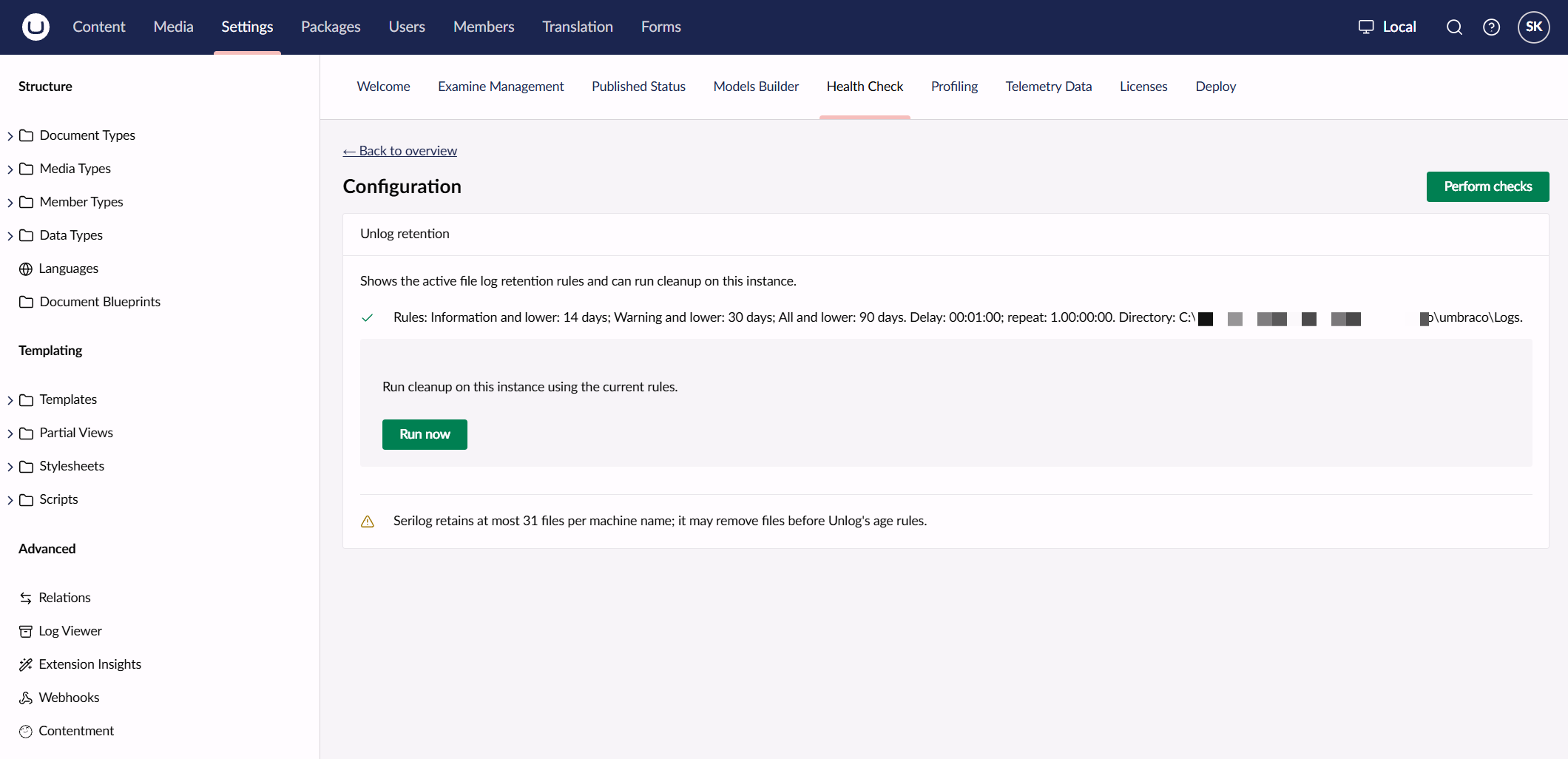
Unlog uses Umbraco’s configured log directory and recurring background jobs. It needs the UmbracoFile Serilog sink with daily rolling files and write access to the directory. There is no Cloud requirement. On sites with multiple instances, each instance cleans its own local logs. If instances share a log directory, keep their retention rules identical; a directory lock prevents simultaneous cleanup.
It only cleans Umbraco’s file logs. Logs sent to Application Insights or other sinks are outside its scope.
If a deployment has already failed because the environment is full, you may still need to free space manually before the application and its cleanup job can start. I built Unlog to keep the old logs from piling up again.
Find Unlog on the Umbraco Marketplace, with links to its documentation and source code.